In my last post about the OpenAI sophisticated recording device, I stopped at general detection and response guidelines for covert devices that do not transmit. This post deals with the logical next step when such espionage devices have exfiltration capabilities and are now on your Microsoft Windows/Linux/Apple Mac server endpoints. There can be a variant where some one “pulls” data from the device over a network rather than a “push”. Fortunately, it has to touch the wire or the endpoint, and that is what leaves a trail and that is what we are going to catch.
Full disclosure: This is not what happened with OpenAI, but a mere continuation of sorts and hence the “part II”.
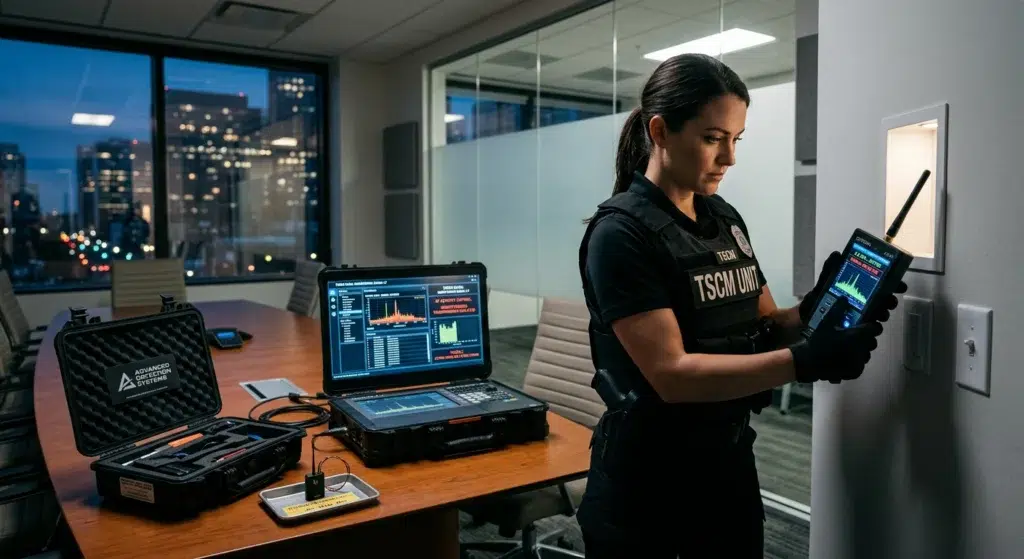
Sophisticated Recording Device: Network Implant
An hardware ESP32 implant or similar on your internal network is not always stealthy. It has to report back via LTE or Wi-Fi. So, it first starts by querying for Wi-Fi endpoints, requests for DHCP and carries a MAC that resolves to an Espressif OUI. Since it has to be reachable or reach out, so it opens a socket or starts a flow. If it also serves video, it holds a sustained multi-megabit stream with a content type that can be detected on most enterprise networks. If it beacons, it produces regular, same-sized, same-cadence connections to a collector. Once you know these details, none of this is stealthy. Let’s begin:
Detection 1: New device fingerprint
The first sign is a device you don’t know appearing on a segment where it was never seen earlier. You can find these from a DHCP request and correlate with the MAC OUI. Zeek can parse DHCP natively and gives you the hostname the client offers. An ESP32 running Arduino firmware often sets a default or a operator-chosen hostname. In this case since the firmware author picks it, you check for hostnames that don’t match your naming scheme. These appear from OUIs that don’t match your normal fleet format. Espressif’s assigned OUIs. There are in excess of 172 OUIs in the IEEE registry when I last checked. Hard-coding a handful will lead to misses, so generating the list instead of typing it is important. This script loads it from esp-ouis.zeek, which this one-liner builds from the IEEE data bundled with the netaddr Python package:
python3 -c "import netaddr,pathlib;p=pathlib.Path(netaddr.__file__).parent/'eui/oui.txt';o=sorted({l.split()[0].lower().replace('-',':') for l in p.read_text().splitlines() if '(hex)' in l and 'Espressif' in l});print('module ImplantDetect;\nexport { const esp_ouis: set[string] = {\n'+',\n'.join(f'\"{x}\"' for x in o)+'\n} &redef; }')" > esp-ouis.zeekThe script reads the MAC from the DHCP payload itself (chaddr), not the Ethernet header. The script reads the MAC from the DHCP payload itself (chaddr), not the Ethernet header.
# Uses the client MAC carried inside the DHCP payload (chaddr), so it still
# works when Zeek only sees relayed DHCP across a routed boundary.

@load base/protocols/dhcp
@load base/frameworks/notice
@load ./esp-ouis

module ImplantDetect;

export {
    redef enum Notice::Type += {
        ## DHCP client whose MAC OUI is assigned to Espressif.
        ESP_Device_DHCP,
        ## DHCP client offering a hostname outside the managed naming scheme.
        Unmanaged_DHCP_Hostname,
    };

    ## Hostname prefixes your managed fleet uses.
    const managed_host_prefixes: set[string] = { "corp-", "it-", "ap-" } &redef;
}

function oui_of(mac: string): string
    {
    return to_lower(sub_bytes(mac, 1, 8));
    }

function is_managed(hn: string): bool
    {
    for ( p in managed_host_prefixes )
        if ( starts_with(hn, p) )
            return T;
    return F;
    }

event dhcp_message(c: connection, is_orig: bool, msg: DHCP::Msg, options: DHCP::Options)
    {
    if ( ! is_orig )
        return;

    local mac = to_lower(msg$chaddr);
    local hn = options?$host_name ? to_lower(options$host_name) : "";

    if ( oui_of(mac) in esp_ouis )
        NOTICE([$note=ESP_Device_DHCP,
                $msg=fmt("DHCP from Espressif MAC %s hostname=%s", mac, hn),
                $conn=c,
                $identifier=mac,
                $suppress_for=1day]);

    if ( hn != "" && ! is_managed(hn) )
        NOTICE([$note=Unmanaged_DHCP_Hostname,
                $msg=fmt("DHCP hostname outside naming scheme: %s mac=%s", hn, mac),
                $conn=c,
                $identifier=mac,
                $suppress_for=1day]);
    }
Reading chaddr from the DHCP payload fixes the routing problem, since a DHCP relay forwards the client’s MAC inside the message. A really sophisticated recorded device can also spoof its MAC to a vendor you do trust, which defeats the OUI half entirely. The hostname can also be made to blend in the enterprise. For example, corp-printer-04 sails will pass an untrained eye. Make sure to treat it as the cheapest tripwire.
Detection 2: A new device fingerprint
A “pull style” implant waits for its operator to connect to it and fetch the data by listening on a port. An internal client workstation, or worse an IoT device that starts listening and responding on ports it never has done in the past is definitely worth your attention. This is a sample Zeek script to detect an internal host on a client segment that responds to HTTP requests as these implants mostly run on most widely used protocols and ports.
@load base/protocols/http
@load base/frameworks/notice

module ImplantDetect;

export {
    redef enum Notice::Type += { Internal_HTTP_Listener };

    ## Server subnets where HTTP replies are expected.
    const sanctioned_servers: set[subnet] = { 10.10.0.0/16 } &redef;

    ## Segments that should hold clients and displays, never servers.
    const client_segments: set[subnet] = { 10.20.0.0/16, 10.30.0.0/16 } &redef;
}

event http_reply(c: connection, version: string, code: count, reason: string)
    {
    local server = c$id$resp_h;

    if ( server in sanctioned_servers || server !in client_segments )
        return;

    NOTICE([$note=Internal_HTTP_Listener,
            $msg=fmt("HTTP server on client segment: %s:%s code=%d", server, c$id$resp_p, code),
            $conn=c,
            $identifier=fmt("%s:%s", server, c$id$resp_p),
            $suppress_for=6hrs]);
    }
Detection 3: A video stream
If the device serves live video, it will do so as an ESP32 camera does via MJPEG, as multipart/x-mixed-replace. Espressif’s own CameraWebServer example uses it, and in my experience it’s rare on an enterprise network. If you pair it with a consistent flow of several megabits from a host that has never pushed video, you have another high-confidence signal to help triangulate.
@load base/protocols/http
@load base/frameworks/notice

module ImplantDetect;

export {
    redef enum Notice::Type += { MJPEG_Stream };

    ## Known camera / NVR hosts allowed to serve MJPEG.
    const mjpeg_allow: set[subnet] = {} &redef;
}

event http_header(c: connection, is_orig: bool, original_name: string, name: string, value: string)
    {
    if ( is_orig || name != "CONTENT-TYPE" )
        return;

    if ( c$id$resp_h in mjpeg_allow )
        return;

    if ( strstr(to_lower(value), "multipart/x-mixed-replace") == 0 )
        return;

    NOTICE([$note=MJPEG_Stream,
            $msg=fmt("MJPEG stream from %s:%s to %s content-type=%s",
                     c$id$resp_h, c$id$resp_p, c$id$orig_h, value),
            $conn=c,
            $identifier=cat(c$id$resp_h),
            $suppress_for=1hr]);
    }
Another pointer is when a multipart/x-mixed-replace replies on a connection that then carries sustained high resp_bytes over a prolonged duration from a host that never streamed videos before.
Detection 4: Identifying a beacon
Unfortunately, exfiltration is the first sign that a network is compromised. Picture an implant that stages data and transmits it on a schedule. Connections to the same set of destinations at a regular interval, transmitting payloads with a similar size. Humans normally don’t produce that regularly. Machines do, even legitimate ones included, which is why a host allowlist/denylist later will help you confirm.
@load base/protocols/conn
@load base/frameworks/notice

module ImplantDetect;

export {
    redef enum Notice::Type += { Periodic_Beacon };

    ## Idle time after which a src/dst/port tuple's history is dropped.
    const beacon_window: interval = 30min &redef;
    ## Connections needed before scoring.
    const min_hits: count = 10 &redef;
    ## History kept per tuple; bounds memory and per-connection work.
    const max_hits: count = 50 &redef;
    ## Max coefficient of variation of the gaps (0.15 = 15% spread).
    const max_jitter_frac: double = 0.15 &redef;
    ## Destinations that beacon legitimately (NTP, telemetry, update servers).
    const beacon_allow_dst: set[subnet] = {} &redef;
}

type BeaconKey: record {
    src: addr;
    dst: addr;
    dpt: port;
};

type BeaconState: record {
    times: vector of time;
    sizes: vector of double;
};

global beacons: table[BeaconKey] of BeaconState &read_expire=beacon_window;

function mean_of(xs: vector of double): double
    {
    if ( |xs| == 0 )
        return 0.0;
    local sum = 0.0;
    for ( i in xs )
        sum += xs[i];
    return sum / |xs|;
    }

# Coefficient of variation (stdev / mean). Returns 1.0 when undefined.
function cv_of(xs: vector of double): double
    {
    local m = mean_of(xs);
    if ( m <= 0.0 )
        return 1.0;
    local acc = 0.0;
    local d = 0.0;
    for ( i in xs )
        {
        d = xs[i] - m;
        acc += d * d;
        }
    return sqrt(acc / |xs|) / m;
    }

event connection_state_remove(c: connection)
    {
    if ( c$id$resp_h in beacon_allow_dst )
        return;

    local k = BeaconKey($src=c$id$orig_h, $dst=c$id$resp_h, $dpt=c$id$resp_p);
    if ( k !in beacons )
        beacons[k] = BeaconState($times=vector(), $sizes=vector());

    local s = beacons[k];
    s$times += c$start_time;
    s$sizes += count_to_double(c$orig$size);   # client -> server bytes: the exfil direction

    if ( |s$times| > max_hits )
        {
        s$times = s$times[1:|s$times|];
        s$sizes = s$sizes[1:|s$sizes|];
        }

    if ( |s$times| < min_hits )
        return;

    local gaps: vector of double = vector();
    local i = 1;
    while ( i < |s$times| )
        {
        gaps += interval_to_double(s$times[i] - s$times[i - 1]);
        ++i;
        }

    local gap_mean = mean_of(gaps);
    local jitter = cv_of(gaps);
    if ( gap_mean <= 0.0 || jitter > max_jitter_frac )
        return;

    NOTICE([$note=Periodic_Beacon,
            $msg=fmt("Periodic beacon %s -> %s:%s, %d hits, mean gap %.1fs, jitter %.0f%%, mean size %.0fB, size spread %.0f%%",
                     k$src, k$dst, k$dpt, |s$times|, gap_mean, jitter * 100,
                     mean_of(s$sizes), cv_of(s$sizes) * 100),
            $src=k$src,
            $dst=k$dst,
            $identifier=fmt("%s-%s-%s", k$src, k$dst, k$dpt),
            $suppress_for=12hrs]);
}Sophisticated Recording Device: Endpoint Implant
The same ESP32 board plugged into a meeting-room PC, a kiosk, or someone’s desktop is a different problem. Here endpoint telemetry will definitely help. The board can appear as a serial device, a drive, or a keyboard that types for itself. Windows logs a recognized device as Security event 6416 once you enable Audit PNP Activity, under Advanced Audit Policy Configuration > Detailed Tracking in Group Policy. Make sure Audit: Force audit policy subcategory settings to override audit policy category settings is enabled too, or the subcategory setting won’t take. From the command line:
auditpol /set /subcategory:"Plug and Play Events" /success:enableThe event carries DeviceId, VendorIds, ClassName and ClassId, which is enough to write some rules against:
title: ESP32 Development Board Recognized Over USB
logsource:
    product: windows
    service: security
detection:
    selection_eid:
        EventID: 6416
    selection_vid:
        - DeviceId|contains:
              - 'VID_303A&'
              - 'VID_2886&'
        - VendorIds|contains:
              - 'VID_303A&'
              - 'VID_2886&'
    condition: all of selection_*
level: medium
The companion rule watches for a new device in the Keyboard class. It doesn’t care what IDs the device claims, so it catches keystroke injection from a spoofed board. On desktops it fires every time someone swaps a keyboard, so scope it to hosts whose peripherals should never change: meeting-room PCs, kiosks, signage, jump boxes. There it’s quiet until it isn’t.
Microsoft Defender for Endpoint device control also helps you restrict removable media, Windows Portable Devices, CD/DVD and printers. It stops a board’s SD card from mounting as a drive.
Linux hosts can use USBGuard. You can start by generating a policy from what’s attached now, then block everything else:
usbguard generate-policy > /etc/usbguard/rules.conf
# in /etc/usbguard/usbguard-daemon.conf
ImplicitPolicyTarget=block
systemctl enable --now usbguard
As I think of more strategies, I will update this post. This is all for now.
Leave a Reply
You must be logged in to post a comment.